LIVE DEMO / SCREENSHOT WALKTHROUGH
Inside HelpDesk SaaS.
A bilingual support workspace built with Angular and ASP.NET Core. Explore the dashboard, ticket queue, and reporting screens.
Screenshot walkthrough with synthetic sample data. These screens illustrate the interface; they do not connect to a company workspace or run backend operations.
Try the live application
Choose the demo account on the HelpDesk sign-in page to explore the sample workspace. The app may take about a minute to wake up.
Open HelpDesk demoSee what needs attention.
The Arabic dashboard brings ticket status, priority, and workload into one place so a support team can identify its next action.
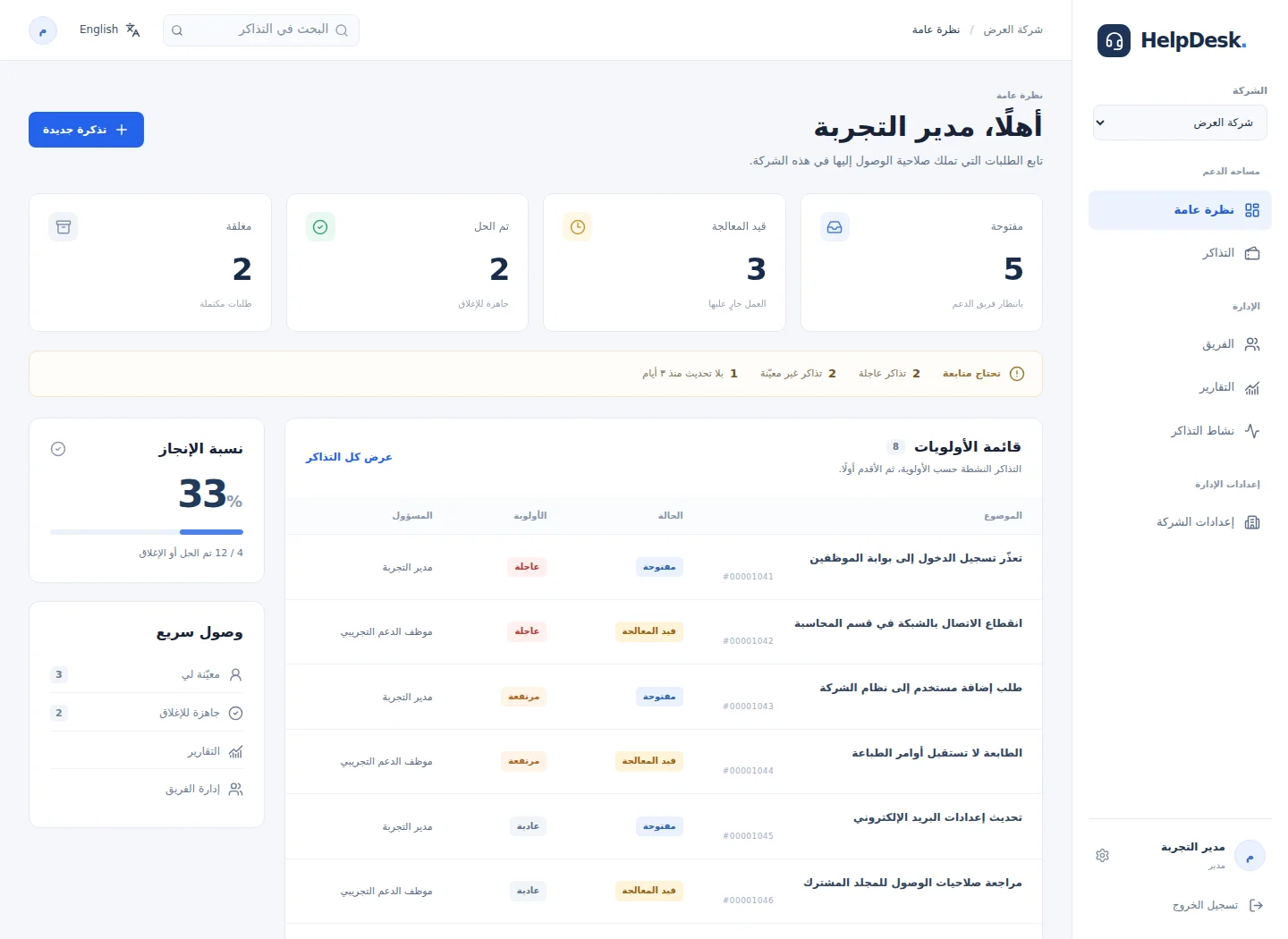
Select the image to view it at full size. Sample data only.
My contribution
I defined requirements and tested company-scoped permissions, ticket assignment, audit history and SLA workflows. I reproduced defects, guided fixes and reviewed Arabic/English user journeys in this AI-assisted learning project. The application uses Angular, ASP.NET Core, Entity Framework Core and SQL Server.
Company boundaries
Permissions follow the active company membership, keeping each workspace’s tickets and team operations separate.
Ticket lifecycle
Priorities, assignment, comments, attachments, and audit history support the journey from reporting an issue to resolution.
Operational visibility
Dashboards and reports bring workload, ticket status, and configurable SLA policies into view.